Load using z/OSMF
Select Load data using z/OSMF in the drop down list and click the Load Data button in the toolbar to load data from your z/OS system using the z/OSMF Dataset and File REST API.
z/OSMF supports gzip compression for data transfer. SMF data compresses very well, and compression can make loading data from z/OS up to 10 times faster if network speed is a limitation.
Connect Window
Specify the options used to connect to z/OSMF:
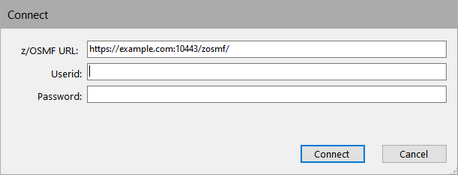
z/OSMF URL
Enter the URL of your z/OSMF installation, e.g. https://example.com:10443/zosmf/
Userid
Your z/OS userid. The userid must have access to z/OSMF and the Dataset and File REST API.
Password
Your z/OS password.